跳至主要内容

Brief Introduction of Live Broadcast for IQBoard 15th Anniversary

15:00 pm. Of Oct.16,2019 - IQBoard live broadcast for 15th anniversary. This article will give a brief introduction about this anniversary celebration. We will have lucky draw and special offer for this celebration. Anyone who is interested in interactive whiteboard and touch flat panel products should not miss this live broadcast! Because there are not only lucky draws also have the super discount!!!

In the beginning of the live broadcast, we will introduce the rules of lucky draw , the prize for lucky draw winners and the super discount details.

Rules of Lucky Draw:
Enter our website- www.iqboard.net/15
Input true name, email address and interested product
Prize for Lucky Draw:
IQSmart Pen*5; IQShare wireless presentation system*1;
Super discount:
IQTouch L/ L Pro/ C Pro are all on 30% off.
Order 1-4 set IQTouch will get IQSmart Pen*1pcs/set for extra bonus.
Order 5-9 set IQTouch will get IQSmart Pen*1pcs/set  &  IQView Document Camera E6510/6811 *1pcs for extra bonus.
Order 10-19 set IQTouch will get IQSmart Pen*1pcs/set  &  IQView Document Camera E3511 *1pcs for extra bonus.
Order over 20 set IQTouch will get IQSmart Pen*1pcs/set  &  IQShare Wireless Presentation System*1pcs for extra bonus.

After this, we will give a detailed introduction of our IQTouch L, L Pro, C Pro Series, and during the introduction of our touch flat panels, we will take raffles. So, please don’t miss the lucky draw time!
Here we will talk in detail about our IQTouch flat panel series.
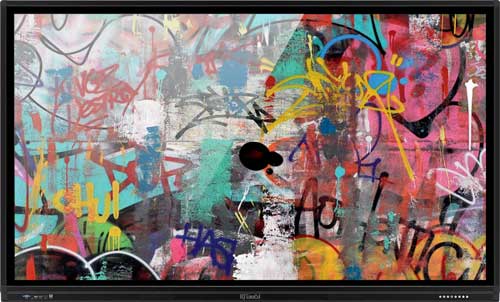


With 65’’,70’’,75’’,86’’four available sizes, IQTouch L series is great for classrooms use with different sizes. It has dual operation system- Android system and Windows system of built-in OPS.
It has 4K clear resolution for its display. Also, it allows 20 point touch which can allow 20 students writing on the screen at the same time.
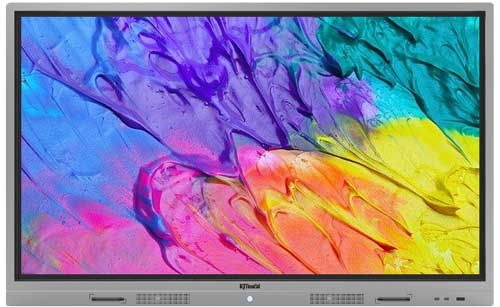


IQTouch L Pro Series feature dual system -- Android 6.0 system and built-in OPS Windows 10Pro system. Its 4K UHD resolution facilitates presentations, collaboration and decision-making. With standard multi-screen casting projection software, IQTouch L Pro can create a collaborative and interactive atmosphere in classrooms or meetings, where partners can work together by casting their devices wirelessly.
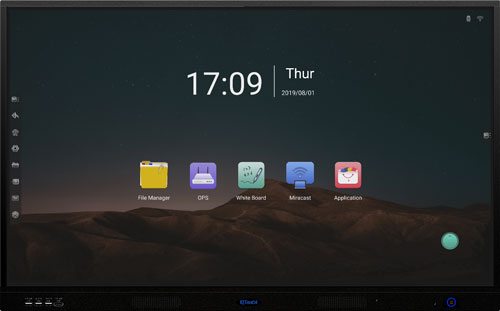


IQTouch C Pro will create a collaborative and interactive atmosphere in the workplaces, where colleagues could work together by casting their devices wirelessly. With 20 point-touches, It is very easy for annotation and crystal clear presentation. With IQShare Lite, it could support wireless presentation. No cables, no set-up, no waiting to join in to share and display the laptop screen to IQTouch C Pro screen instantly.

For more details about the product operation and use, please kindly participate in our live broadcast on 16th, October, we will have a detailed operation introduction of our IQTouch flat panels.

评论

此博客中的热门博文

Five Reasons to Buy a Document Camera for the Classroom

More schools are looking for ways to enhance their students' learning experience through technology. One way to increase the students' enthusiasm for their schoolwork and provide them with an interactive learning experience is through the use of  document cameras in the classroom .  Document cameras are slowly becoming a common tool in schools and universities, and for a good reason. This type of technology can help give students, teachers, and staff a way to provide clearer access to information and enhance learning programs. Here are 5 reasons why should invest  document cameras in education  for your class. 1.  Allows for better visibility, flexibility and accessibility.   Using a document camera can give your students a better look at any items or documents you want to show them, especially for the tiniest details on a piece of paper or on an object. It is especially important and useful in large lecture halls and big cla...

Interactive Whiteboards and Interactive Display Enhance Teaching Interactivity

As recently as a few years ago, it appeared that the  interactive whiteboard technology  was cementing itself as a permanent mainstay in the classroom — helping teachers to embrace technology and promoting 21st Century skills in students. Fast-forward to today, and the market has shifted. While a number of schools continue to use interactive whiteboards, many are transitioned to interactive digital displays—which look more like flat-panel TVs or jumbo-sized tablets than dry erase boards—as they fund new purchases.  An interactive whiteboard is a large display that connects to a computer and a projector. The projector projects the computer’s desktop onto the board’s surface, where users control the computer with a pen, finger, or other device. The board is typically mounted to a wall or floor stand. Student response systems and other such accessories enable interactivity among students. One teacher may create an engaging lesson that focuses on one t...

Best Interactive Whiteboard Upgrade - IQBoard All In One

Classrooms and offices all over the world have come a long way since the use of traditional blackboards and chalk. Whiteboards, which came with wipe-away markers, gradually replaced blackboards (they were invented in the 1960s but did not become widely used until the turn of the century). Compared with traditional  interactive whiteboard , which will need a projector, a computer, an audio amplifier. While IQBoard All-in-one ( hereafter referred to as IQAio) is highly integrated multi-point infrared interactive whiteboard, central control system, wireless microphone stereo amplifier system, built-in OPS and other equipment. That is to say, with one key power on, all the devices such as interactive whiteboard, projector, built-in OPS, audio amplifier will be powered on. It brings great conveniences for teachers in classroom.   IQAio GR519 has 15 soft hotkeys on both sides, which has clear function classification. And it improved the efficiency of use for teachers in c...