跳至主要内容

Interactive Displays Products for the K-12 Classroom

If you want students to have a better chance at putting new information into their long-term memory banks, classroom collaboration and education technology are a must.The best classroom collaboration strategies revolve around products that help teachers bring crystal-clear, detailed images into classrooms to engage students and enhance lessons.

 
The twenty-first century version of the schoolhouse blackboard allow teachers to present information — including notes written in real-time — in a much more engaging way than chalk ever could. Interactive whiteboards and touchscreens can display images and allow participants to mark up what they see, taking notes and moving pieces around to make learning a more tactile experience.
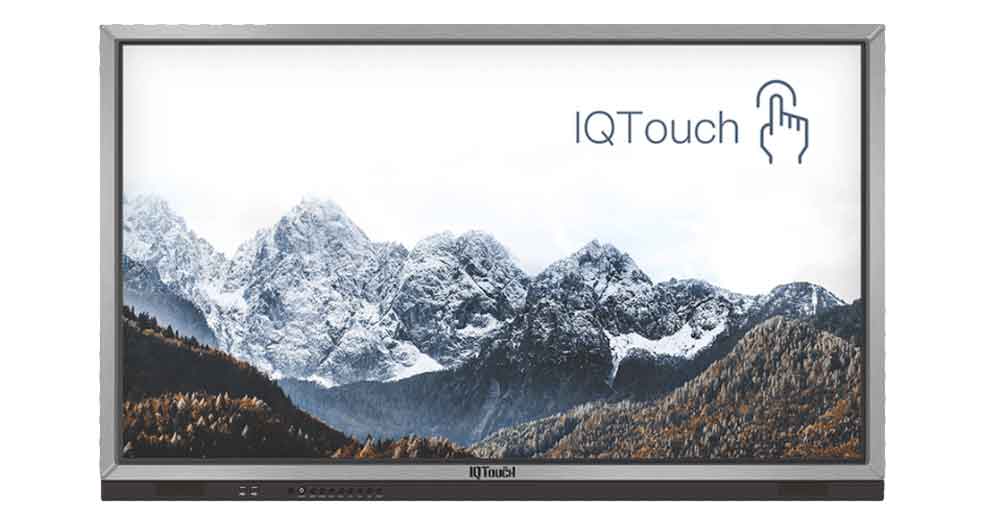
 Our Interactive Flat Panels allow the teacher to create and show any content on the screen to the class from their computer. They can then connect students on their devices to the LED for interactive and collaborative lessons. With a high resolution and low glare image, even the smallest of text is easy to read on the LED. Multi-touch allows the teacher to control and annotate over any application that is running on their PC, MAC or Chrome OS directly from the screen. You can even use gestures to control your applications.
 
Contribute Interactive Software enables content delivery, collaboration, Casting and Multi-Casting all through a FREE cloud-based platform. Simply add your content, share it with your students or colleagues and they are able to collaborate with you – all through a browser. 
Great displays and hardware require thoughtful software to run properly. When choosing your display technology, look for products that come pre-loaded with robust classroom collaboration software that allows both teachers and students to easily share information to the display.

When it comes to choosing technology for the modern K-12 classroom, the best ed tech solutions have the following three features:
1. They allow teachers to provide students with a wealth of visual and tactile experiences to promote better interactive learning and long-term memory. Images should be crystal-clear, with rich color and detail.
2. They come fully loaded with intuitive, easy-to- use software so teachers can get up and running without wasting time learning a new system.
3. They allow for classroom collaboration between multiple devices so that students and teachers can seamlessly share their work with each other.
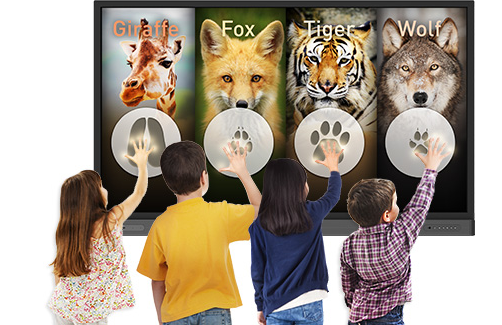
 
With these three items on your digital shopping list, you should be able to equip K-12 students with the most effective tools for interactive learning in a connected, collaborative environment.

评论

此博客中的热门博文

Five Reasons to Buy a Document Camera for the Classroom

More schools are looking for ways to enhance their students' learning experience through technology. One way to increase the students' enthusiasm for their schoolwork and provide them with an interactive learning experience is through the use of  document cameras in the classroom .  Document cameras are slowly becoming a common tool in schools and universities, and for a good reason. This type of technology can help give students, teachers, and staff a way to provide clearer access to information and enhance learning programs. Here are 5 reasons why should invest  document cameras in education  for your class. 1.  Allows for better visibility, flexibility and accessibility.   Using a document camera can give your students a better look at any items or documents you want to show them, especially for the tiniest details on a piece of paper or on an object. It is especially important and useful in large lecture halls and big cla...

Interactive Whiteboards and Interactive Display Enhance Teaching Interactivity

As recently as a few years ago, it appeared that the  interactive whiteboard technology  was cementing itself as a permanent mainstay in the classroom — helping teachers to embrace technology and promoting 21st Century skills in students. Fast-forward to today, and the market has shifted. While a number of schools continue to use interactive whiteboards, many are transitioned to interactive digital displays—which look more like flat-panel TVs or jumbo-sized tablets than dry erase boards—as they fund new purchases.  An interactive whiteboard is a large display that connects to a computer and a projector. The projector projects the computer’s desktop onto the board’s surface, where users control the computer with a pen, finger, or other device. The board is typically mounted to a wall or floor stand. Student response systems and other such accessories enable interactivity among students. One teacher may create an engaging lesson that focuses on one t...

Best Interactive Whiteboard Upgrade - IQBoard All In One

Classrooms and offices all over the world have come a long way since the use of traditional blackboards and chalk. Whiteboards, which came with wipe-away markers, gradually replaced blackboards (they were invented in the 1960s but did not become widely used until the turn of the century). Compared with traditional  interactive whiteboard , which will need a projector, a computer, an audio amplifier. While IQBoard All-in-one ( hereafter referred to as IQAio) is highly integrated multi-point infrared interactive whiteboard, central control system, wireless microphone stereo amplifier system, built-in OPS and other equipment. That is to say, with one key power on, all the devices such as interactive whiteboard, projector, built-in OPS, audio amplifier will be powered on. It brings great conveniences for teachers in classroom.   IQAio GR519 has 15 soft hotkeys on both sides, which has clear function classification. And it improved the efficiency of use for teachers in c...